
Spotting Water-Damaged Electronics Before You Buy (2026)
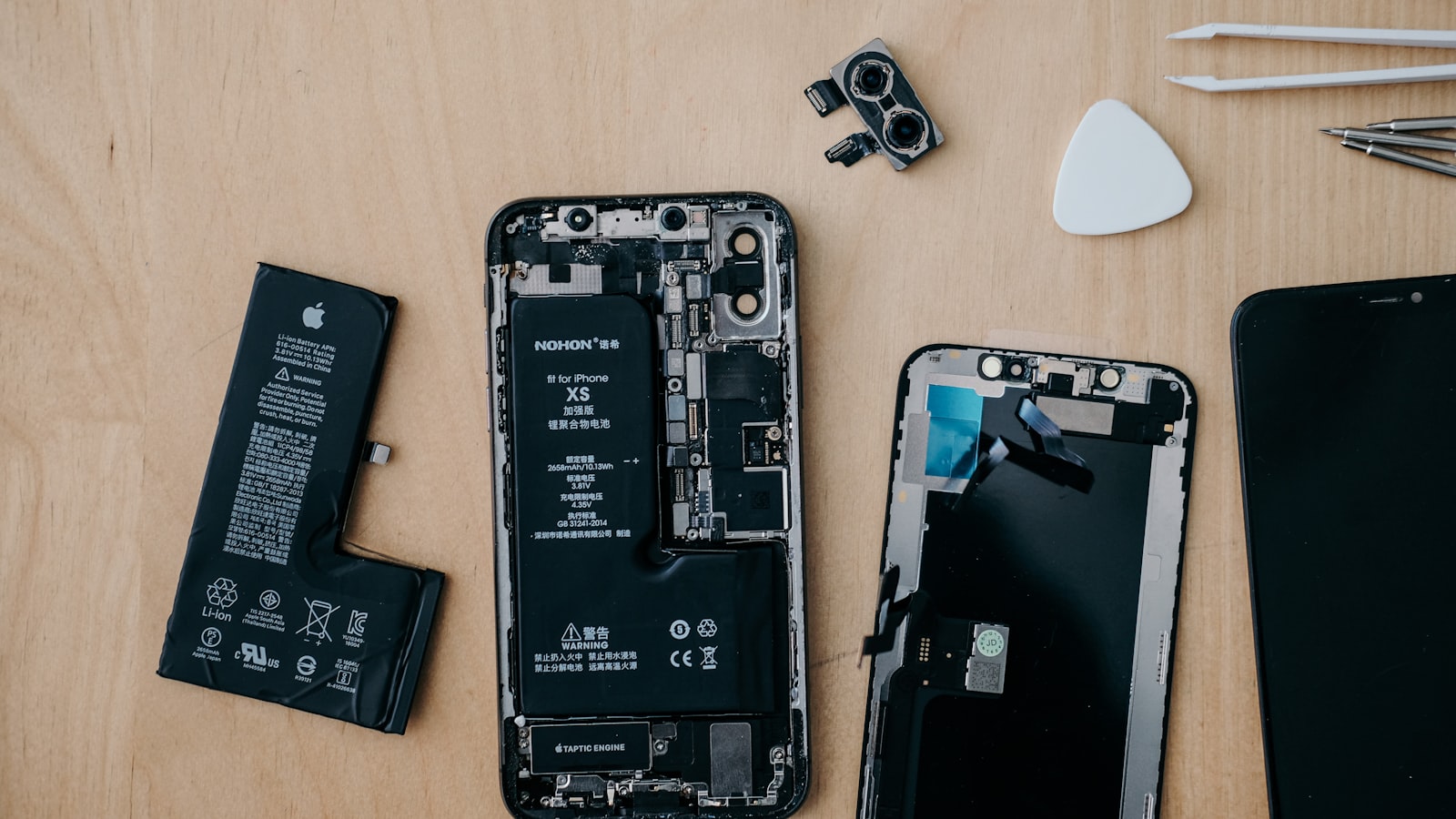
Of all the ways a used gadget can disappoint you, water damage is the cruellest, because it lies. A phone that spent a minute in a toilet bowl can be dried out, cleaned up, and sold working perfectly — then die a slow death six weeks later as corrosion finishes what the water started. In humid Singapore, where devices meet rain, condensation, kitchens and pools constantly, liquid exposure is one of the most common hidden defects in the second-hand market. Here is how to spot it before your money changes hands.
Why water damage is uniquely dangerous to buyers
Most defects announce themselves: a cracked screen, a dead battery, a jammed button. Water damage instead plants a time bomb. When liquid gets inside a device, it deposits minerals and starts electrochemical corrosion on contacts, traces and connectors. Dry the device and it may work — but the corrosion keeps creeping, and failure arrives days or months later as flaky charging, ghost touches, dead cameras or a board that simply never powers on again.
This is why “it works fine, see for yourself” is necessary but not sufficient when buying used electronics. A working demo proves today; the physical evidence of exposure predicts next month. Your job at a viewing is archaeology, not just testing.
Liquid contact indicators: the built-in tattletale
Most phones, tablets and many laptops contain liquid contact indicators (LCIs) — small white stickers that turn red or pink permanently on contact with liquid. Manufacturers put them there precisely to detect water damage for warranty claims, and they are your single best check.
On most modern phones, an LCI is visible inside the SIM tray slot: eject the tray (bring your own ejector pin to meet-ups) and shine your phone torch in. White or silver is clean; red or pink means liquid got in. Some devices have additional indicators in the headphone jack or charging port visible with a torch. On laptops, indicators typically sit inside — near RAM slots or on the underside of the keyboard — visible only if a service panel opens, so external corrosion checks matter more there.
Two caveats: an unscrupulous refurbisher can replace an LCI during a board-level repair, and extreme humidity alone rarely triggers them but is not impossible. So treat a clean LCI as good evidence, not a guarantee — and a triggered one as case closed.
The corrosion inspection: reading the residue
Water leaves fingerprints. With a torch and thirty seconds per area, check:
- Charging port and connectors: green or white powdery crust on the pins is oxidised metal — the classic sign. Compare with a known-dry device to calibrate your eye.
- Screws: rust on the tiny screws beside a phone’s charging port, or on a laptop’s bottom panel screws, means moisture sat there. Also note mangled screw heads — evidence the device has been opened, which pairs suspiciously with any other water sign.
- Cameras and flash: fogging, droplets or cloudy patches inside the lens glass are strong evidence of internal moisture.
- Screen edges: tide-line marks, blotches or mura-like patches under the glass near the edges suggest liquid wicked under the display.
- Speaker and mic grilles: white mineral residue crusted in the mesh, like dried watermarks on a glass.
- Smell: a musty, damp-cupboard odour from ports or vents is surprisingly reliable, especially on laptops where liquid soaks the keyboard deck.
Functional tests that expose a wet past
Corrosion attacks the periphery first, so test the water-sensitive subsystems specifically. Audio: play music through every speaker and record a voice memo — crackling, muffled or faint output is the most common post-water symptom, because speaker coils and mesh trap liquid. Charging: plug in with your own cable and confirm solid, uninterrupted charging; corroded port pins cause intermittent connection. Cameras: test every lens and the flash, checking for haze and focus hunting. Screen: run a full-screen white image and look for discoloured patches, then test touch across the whole surface — corrosion causes dead zones and ghost touches. On laptops: type every key (liquid kills keyboards in patterns, often one region), and listen to the fans, which grind after ingesting liquid.
Fold these into the fuller inspection routines in our used phone checklist and used laptop buying guide — water checks are one chapter of a complete pre-purchase test.
Reading the seller and the deal
The listing tells you things the device cannot. Warning patterns: “dried out and working now” honesty (respect it — and price it as a parts gamble or walk); vague history — a seller who cannot say where the device lived or why the price undercuts the market; refusal to allow SIM-tray or port inspection at a meet-up — there is no innocent reason; freshly “serviced” devices with mangled screws and a suspiciously new screen, which can indicate a flood-salvage refurb; and meet-up conditions designed to rush you — dim MRT corners and “many buyers waiting” pressure.
Protect yourself structurally too: prefer platforms and payment methods that give some recourse, deal with sellers who have history, and never pay deposits sight-unseen for electronics. The habits in our buying and selling safety guide cover that layer. The same vigilance applies to used appliances — dehumidifiers, kettles and washing machines have their own moisture-damage patterns, covered in what to check when buying used appliances.
If you’re the one selling a wet device
Simple: disclose it. Selling a known water-exposed device as clean is the kind of misrepresentation that ends in disputes, chargebacks and police reports — and experienced buyers will find the evidence anyway. A disclosed, discounted “water-exposed, currently working, sold as-is for parts or repair” listing sells fine to tinkerers and repair shops, keeps your conscience and your marketplace rating intact, and is the honest price of that swimming pool photo you tried to take.
The bottom line
Water-damaged electronics pass demos and fail later, so buy on evidence, not vibes: check the liquid contact indicator in the SIM tray, torch-inspect ports and screws for corrosion and rust, sniff for must, and stress-test speakers, charging, cameras and touch at the meet-up. Any single strong sign — a pink LCI, green crust, internal lens fog — is reason enough to walk away or reprice the deal as a gamble. In a market full of dried-out time bombs, the buyer with a torch and an ejector pin wins.
Frequently asked questions
How do I check a used phone for water damage?
Look at the liquid contact indicator — usually inside the SIM tray slot — which turns red or pink after liquid exposure. Then inspect charging port and connectors for corrosion, check the cameras and flash for internal fogging, and test speakers, microphone and charging during the meet-up.
Can water-damaged electronics work normally?
Yes, temporarily — that is the danger. Corrosion continues after the liquid dries, so a device can pass every test today and fail weeks later. That is why physical evidence of exposure matters more than a working demo.
What does corrosion look like inside electronics?
Green or white powdery crust on metal contacts and connectors, rust on screws, tide-line residue marks on boards or under the screen, and cloudiness inside camera lenses. Any of these on a used device suggests liquid exposure.
Should I ever buy a device with a triggered liquid indicator?
Only knowingly, cheaply and for parts-level risk tolerance. A triggered indicator means liquid reached inside the device; even if it works today, treat it as a discounted gamble rather than a reliable purchase.
Where is the liquid contact indicator on a phone?
On most modern phones, the liquid contact indicator is visible inside the SIM tray slot. Eject the tray with your own ejector pin and shine a torch in: white or silver means clean, while red or pink means liquid got in. Some devices also have indicators in the headphone jack or charging port.
Which functional tests reveal water damage in a used device?
Test the water-sensitive parts: play music through every speaker and record a voice memo, charge with your own cable for solid uninterrupted charging, test every camera and flash for haze, and run a white screen to check discolouration and touch response. On laptops, type every key and listen to the fans.
What seller warning signs suggest a device may be water-damaged?
Warning signs include a vague history, a price well under market without reason, refusal to allow SIM-tray or port inspection, devices with mangled screws and a suspiciously new screen, and meet-up conditions designed to rush you. Prefer platforms and payment methods that give some recourse.
Should I disclose water damage when selling a used device?
Yes, selling a known water-exposed device as clean is misrepresentation that can end in disputes, chargebacks and police reports. A disclosed, discounted listing sold as-is for parts or repair still sells to tinkerers and repair shops and protects your marketplace rating.
More in Buying & Selling Used
See all
Preloved Wedding Dresses & Items: Buying & Selling (2026)
A preloved wedding dress can cost a fraction of retail. Where Singapore couples buy and sell gowns, decor and kua, what to…

How to Photograph Items So They Sell (2026)
Better product photos second hand buyers trust: window light, clean backgrounds, the shot list that answers every question and phone settings that…

Selling via Telegram & Instagram Groups in Singapore (2026)
Telegram selling in Singapore, explained: how marketplace channels and Instagram groups work, posting etiquette, payment safety and when platforms beat them.