
Setting Up Utilities & Wi-Fi in a New Home (Singapore)
Sorting utilities and internet early means you’re not sitting in the dark — or offline — on move-in day. It only takes a bit of planning. This guide walks through opening your utilities account, choosing an electricity retailer, getting broadband installed, and the day-one checklist for a new home in Singapore.
1. Electricity, water & gas (SP Group)
Open your SP Group utilities account online a few days before you move in, so power and water are on when you arrive. This single account covers electricity, water and (where available) town gas. A security deposit may apply depending on your profile — check the amount when you sign up. Have your new address and move-in date ready.
2. Consider the Open Electricity Market
Under the Open Electricity Market, you can buy your electricity from a retailer other than SP, potentially at a lower rate — SP still delivers the power and handles any faults, so reliability is unchanged. Plans generally come in two forms: a fixed price per kWh for the contract term, or a discount off the regulated tariff. Compare the rate, the contract length and any early-termination fee, and pick the structure that suits how confident you are about future tariffs. Switching is straightforward and can lower your electricity bill.
3. Broadband & Wi-Fi
A 1Gbps fibre plan costs roughly S$37–S$50 a month, with the main providers being MyRepublic, Singtel, M1 and StarHub. Higher-speed tiers (2.5Gbps and up) are sometimes cheaper on promotion, so it’s worth comparing. Before signing, check:
- The contract length (usually 24 months) and the early-termination fee.
- A one-off setup or installation fee (around S$50–S$200), which is often waived for new customers.
- Whether a termination point and a router are included, or extra.
- Any bundled perks (free installation, a router, subscriptions) — but weigh them against the core price.
Book installation early — slots get tight around peak moving periods, and you don’t want to be without internet for a week.
4. The day-one checklist
- Utilities account active and the meters reading.
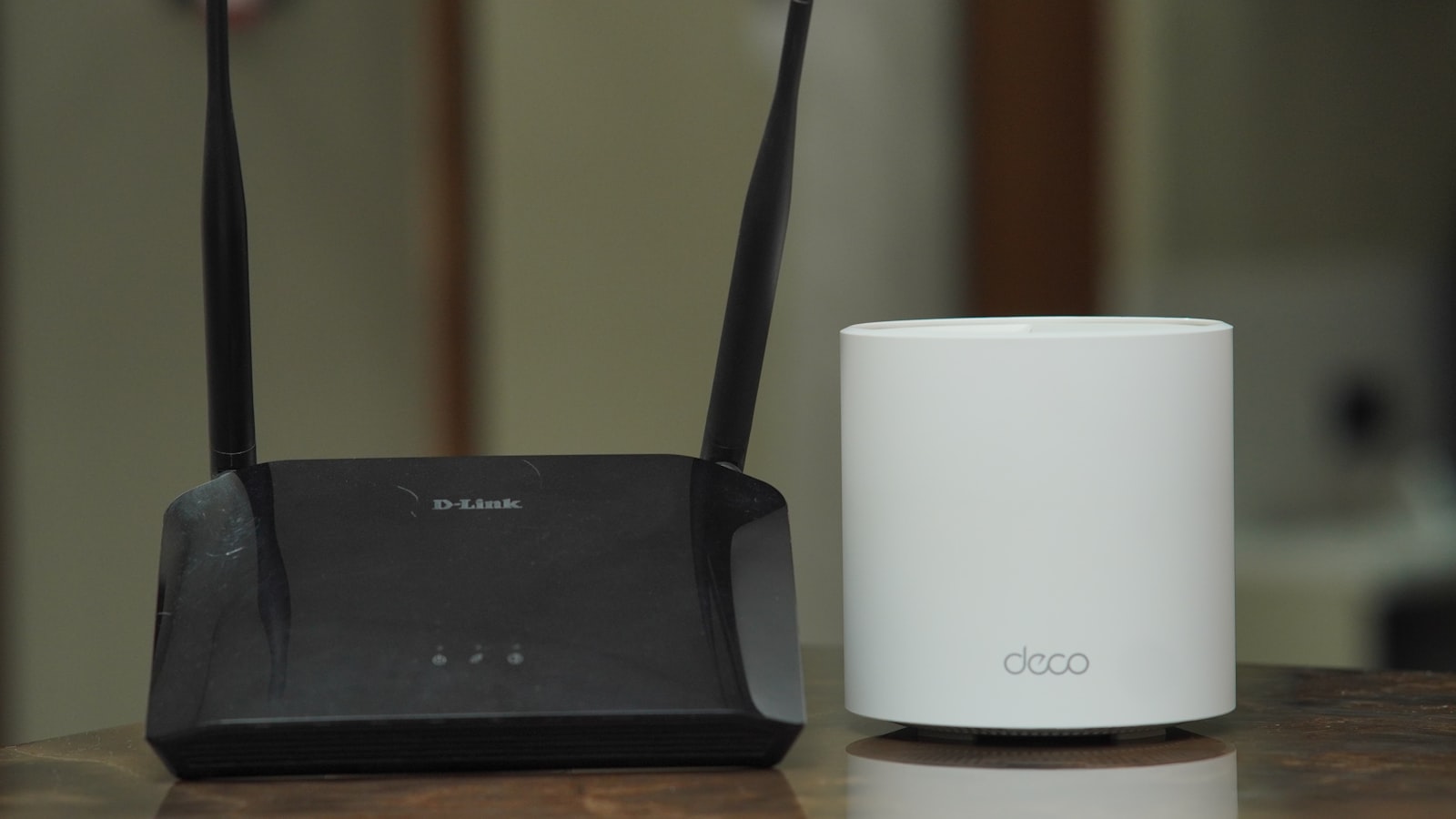
- Broadband installation booked or done, with the router placed centrally for good coverage.
- Redirect your mail and update your address with your bank and any agencies.
- Test smoke detectors and locate the main switches and water stopcock.
- Note down meter readings on move-in (useful for a rental deposit and for your first bill).
Setting up in a rental vs your own home
In a rental, some utilities may already be in the landlord’s name or shared — clarify with your tenancy agreement whether you set up your own accounts or reimburse the landlord, and record the meter readings at handover. In your own home, you’re setting everything up fresh, so factor the deposits and setup fees into your moving budget.
Common mistakes
The usual slip-ups: leaving the utilities account until move-in day (and arriving to no power); not booking broadband early and being offline for a week; and auto-defaulting to the standard tariff without checking the Open Electricity Market for a cheaper rate. A little planning a few days ahead avoids all three.
The bottom line
Open your SP utilities account a few days before you move, compare Open Electricity Market retailers for a better rate, and book a 1Gbps broadband plan (around S$37–S$50/month) early so it’s ready on day one. Work the checklist, note your meter readings, and update your address — and your new home is fully switched on from the moment you walk in. Still to move? See our mover costs and checklist.
Choosing an electricity plan that fits
When comparing Open Electricity Market retailers, the two main plan types suit different people. A fixed-rate plan locks in a price per kWh for the term, giving you certainty and protection if tariffs rise — good if you value predictability. A discount-off-tariff plan tracks the regulated tariff at a discount, so your rate moves with the market. Consider the contract length and any early-termination fee too, especially if you’re on a shorter lease and might move again. Don’t overthink it — even a modest discount on the standard tariff adds up over a year.
Getting the best broadband deal
Broadband providers compete hard, so it pays to compare rather than default to a big name. Beyond the headline monthly price, weigh the contract length, the setup fee (often waived for new sign-ups), and whether a router and installation are included. If you work from home or stream heavily, reliability and customer service matter as much as raw speed — and higher-speed tiers are sometimes cheaper than 1Gbps on promotion, so check. Book installation well ahead of your move, as slots fill up during busy periods and you don’t want to start life in a new home offline.
A smooth first week
To settle in without stress, front-load the admin: open the utilities account and book broadband a few days before move-in, redirect your mail, and update your address with your bank, employer and any government agencies. On arrival, note the meter readings, find the main switches and water stopcock, and test the smoke detectors. If you’re bringing furniture, coordinate it with your move; if you’re furnishing from scratch, our furnishing guide helps. A little upfront organisation means your new home is fully functional from day one.
A quick setup summary
In short: open your SP Group utilities account online a few days before you move so power and water are on when you arrive, and be ready for a possible deposit. Compare Open Electricity Market retailers for a better rate than the standard tariff, choosing a fixed or discount-off-tariff plan to suit you. Book a broadband plan early — a 1Gbps fibre connection runs about S$37–S$50 a month — and check the contract length, setup fee and whether a router is included, since installation slots fill up during busy moving periods. On move-in, note the meter readings, find the main switches and stopcock, test the smoke detectors, and update your address with your bank and any agencies. A few days of planning means your new home is fully switched on — power, water and internet — from the moment you walk through the door, rather than spending your first week chasing utilities.
Frequently asked questions
How do I set up utilities in a new home?
Open an account with SP Group (electricity, water, gas) online, ideally a few days before move-in. A security deposit may apply depending on your profile.
What is the Open Electricity Market?
It lets you buy electricity from a retailer other than SP at potentially lower rates, while SP still delivers the supply and handles faults.
How much is home broadband?
A 1Gbps fibre plan is roughly S$37–S$50/month (higher-speed tiers are sometimes cheaper on promo). Watch for a one-off setup fee of about S$50–S$200, often waived for new sign-ups.
When should I open my SP Group utilities account before moving in?
Open it online a few days before you move in, so power and water are on when you arrive. The single account covers electricity, water and, where available, town gas. A security deposit may apply depending on your profile, so have your new address and move-in date ready.
What should I check before signing a home broadband contract?
Check the contract length, usually 24 months, and the early-termination fee, plus any one-off setup fee of around S$50 to S$200, which is often waived for new customers. Confirm whether a termination point and router are included, and book installation early.
Why should I record meter readings when moving into a new home?
Noting meter readings on move-in is useful for a rental deposit and for your first bill. In a rental, also record the readings at handover and clarify in the tenancy agreement whether you set up your own accounts or reimburse the landlord.
What is on the day-one checklist for a new home?
Confirm the utilities account is active, book or complete broadband installation with the router placed centrally, redirect mail and update your address with your bank and agencies, test smoke detectors, locate the main switches and water stopcock, and note meter readings.
More in Moving & Home Setup
See all
Cheap Storage Options in Singapore (2026)
Looking for cheap storage in Singapore? Learn to declutter first, weigh self-storage costs and find budget alternatives like box storage, shared and…

A Realistic Home Cleaning Schedule (2026)
A realistic home cleaning schedule for busy Singapore households: daily 10-minute resets, weekly rotations, monthly deep tasks and when to outsource.

Move or Renovate? How to Decide (2026)
Move or renovate? A practical framework for Singapore homeowners: compare true costs, disruption, what renovation can and cannot fix, and when moving…